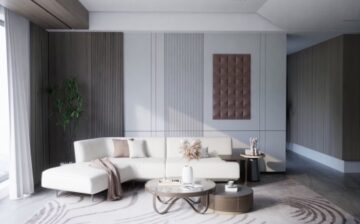

Interior design used to require expensive software and years of training. You had to spend days learning how to render a single room. Now, things are much simpler for everyone involved. You can use an ai room design free tool to create stunning layouts in seconds. This technology helps you see how furniture fits in a space without any heavy lifting. You can experiment with different styles and colors without spending a dime on physical samples.
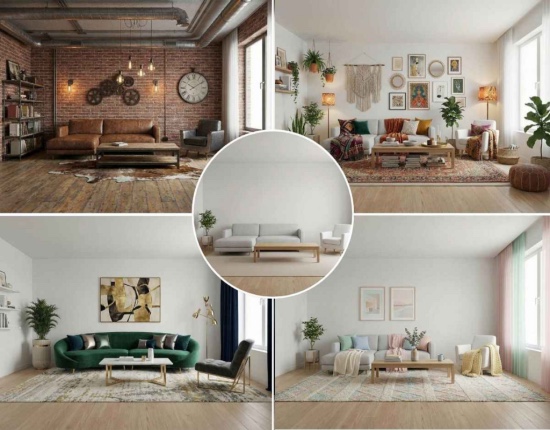
Many designers struggle with the technical side of 3D modeling. It takes a long time to place every chair and lamp perfectly. AI tools change this by automating the placement of objects based on the room’s dimensions. You just upload a photo of an empty room and let the software do the rest. This speed allows you to produce more work in less time.
Visualizing a renovation is another area where these tools shine. You can swap out flooring or wall colors with a few clicks. This helps clients make decisions faster because they can see the final result immediately. High-quality visuals build trust and make your presentations stand out from the competition.
Top 1: RoomGPT for Instant Virtual Staging
RoomGPT is a popular choice for people who need quick results. It uses advanced models to look at a photo of a space and fill it with furniture. You can choose from different themes like modern, professional, or cozy. The tool understands the walls and floors in your photo to place items in a way that looks natural.
Key Features
The tool offers a simple interface where you upload a photo and select a room type. It generates multiple variations of the design so you can compare different looks. It handles lighting and shadows automatically to match the original photo. You can download the results instantly to share with others.
Pros
The speed of generation is impressive for a free tool. It requires no previous design experience to use. The themes are diverse and cover the most popular interior styles.
Cons
The resolution of the output can be low. Some furniture items might look slightly distorted if the original photo is at an odd angle.
Best For
Real estate agents who need to stage empty homes quickly for listings.
Top 2: REimagineHome for Full Style Swaps
REimagineHome focuses on complete transformations. It does not just add furniture; it can change the entire architectural style of a room. If you have a traditional kitchen and want to see it as a minimalist space, this tool can do it. It identifies elements like cabinets and countertops and replaces them with new designs.
Key Features
This tool includes a feature for outdoor spaces as well as interiors. It allows for specific material requests, such as changing carpet to hardwood. The AI considers the existing light sources to keep the new design looking realistic. It also offers a clutter removal feature to clean up messy rooms before redesigning them.
Pros
It offers a high level of customization for different surfaces. The interface is very user-friendly for beginners. It handles complex room shapes better than many other tools.
Cons
The processing time can be longer than simpler staging apps. Some advanced features might require a paid subscription.
Best For
Homeowners planning a major renovation who want to see different material options.
Top 3: VanceAI for High-Resolution Details
VanceAI is a powerful tool for improving the quality of your mockups. After you generate a design, the image might look pixelated or soft. This tool uses artificial intelligence to add pixels and sharpen edges. It makes the fabrics look more real and the wood grains more visible. This is a vital step before showing work to a client.
Key Features
The software offers 4x and 8x upscaling options. It includes a specialized noise reduction feature to clean up grainy photos. The AI sharpening tool helps define the borders of furniture and architectural elements. It can process images in batches to save you time.
Pros
The results look very natural without making the image look over-processed. It works well on both AI-generated images and real photographs. The web version is fast and easy to access.
Cons
The free version has limits on how many images you can process. Very blurry images might still have some artifacts after upscaling.
Best For
Professional designers who need to prepare their mockups for high-quality presentations or websites.
Top 4: Adobe Firefly for Precise Object Editing
Adobe Firefly brings generative AI into the world of professional editing. It allows you to select specific parts of a room and change them using text prompts. If you like a room but hate the sofa, you can highlight the sofa and ask the AI to replace it with a blue velvet one. This level of control is hard to find in other automated tools.
Key Features
The generative fill feature is the main attraction here. It allows for adding, removing, or replacing objects with high accuracy. The tool matches the lighting and perspective of the surrounding environment perfectly. It integrates with other Adobe products for a complete design workflow.
Pros
It provides the most creative freedom of any tool on this list. The results are usually very high quality and look like professional photography. It is constantly updated with new features.
Cons
It has a steeper learning curve than simple one-click apps. You need an Adobe account to access the full range of features.
Best For
Graphic designers and interior stylists who want total control over every detail in a mockup.
Top 5: Fotor for Quick Texture Enhancement
Fotor offers a suite of tools that are great for social media and quick edits. Its enhancement features are perfect for making interior mockups pop. It focuses on color balance and texture clarity. When you use it on a mockup, it brings out the richness of the colors and makes the space feel more inviting.
Key Features
The one-tap enhance button automatically adjusts brightness and contrast. It has a dedicated tool for sharpening textures in photos. The background blur feature can help create a shallow depth of field for a more artistic look. It also includes a variety of filters to set a specific mood.
Pros
It is extremely easy to use on both mobile and desktop. The tool is very fast and provides immediate visual feedback. It is great for preparing images for Instagram or Pinterest.
Cons
It lacks the deep architectural understanding of specialized design tools. The ads in the free version can be a bit distracting.
Best For
Social media managers and bloggers need to create attractive interior content quickly.
Top 6: Homestyler for 3D Layout Planning
Homestyler is a more traditional design tool that has added powerful AI features. It allows you to build a 3D model of a room and then use AI to decorate it. This is great for when you need exact measurements and a specific layout. It bridges the gap between a simple photo filter and a full CAD program.
Key Features
The tool includes a massive library of real furniture from actual brands. You can walk through your design in a virtual reality mode. The AI styler can take your 3D floor plan and apply a complete aesthetic in seconds. It generates photorealistic renders that look like real photos.
Pros
The ability to use real-world furniture makes it very practical for actual shopping. The 3D floor plan tool is very accurate. It offers a professional level of detail.
Cons
It takes more time to set up a project compared to photo-based AI tools. The interface can feel a bit crowded with many options.
Best For
Interior design students and professionals who need to create accurate floor plans and renders.
Top 7: Midjourney for Creative Concept Art
Midjourney is an AI art generator that is famous for its high-quality images. While it is not a dedicated interior design tool, it is amazing for creating mood boards and concepts. You can describe a dream living room in text, and it will create a stunning image from scratch. This is perfect for the early stages of a project when you are looking for inspiration.
Key Features
The tool uses text-to-image prompts to create unique visuals. It can produce images in many different artistic styles. The latest versions are incredibly good at rendering realistic lighting and materials. You can use various region features to change small parts of the generated image.
Pros
The creative output is often more beautiful than what you find in standard design software. It helps you think outside the box with unique color schemes and layouts. The community provides endless inspiration.
Cons
It does not work with your own photos as easily as other tools. It requires using Discord, which might be confusing for some users.
Best For
Concept artists and designers who want to explore bold new ideas and color palettes.
Comparison Summary
| Method | Main Benefit | Best For |
| RoomGPT | Speed | Quick Ideas |
| REimagineHome | Versatility | Homeowners |
| VanceAI | Clarity | Photographers |
| Adobe Firefly | Precision | Designers |
| Fotor | Ease of Use | Social Media |
| Homestyler | Accuracy | Architects |
| Midjourney | Creativity | Artists |
Final Recommendation
Choosing the right tool depends on your specific goals. If you are a real estate agent looking to fill a house with furniture, RoomGPT is the fastest way to get results. It handles the basics well and gives you a good starting point. For those who need to see specific materials like marble or oak, REimagineHome offers the best customization for surfaces.
If you find that your AI designs look a bit soft or blurry, always run them through a dedicated upscaler. This step is what separates an amateur mockup from a professional one. Tools like VanceAI or Fotor can make a huge difference in how your work is perceived. They ensure that every detail is sharp enough for a big screen or a printed portfolio.
For professional designers who need accuracy, Homestyler is the clear winner. It allows you to work with real dimensions and actual furniture brands. This makes the transition from a digital mockup to a real room much easier. No matter which tool you choose, using AI will save you hours of work and help you create more impressive interior designs.
We hope you found this blog post on 7 Ways to Enhance Interior Mockups with AI Tools useful. Be sure to check out our post on Approach Interior Design when Moving a House for more great tips!

Have Experience in the Moving Industry? Want an Additional Income Stream? Work With All Around Moving!
Partner with us, and we’ll help you make money by establishing your own moving consultant business. Click here to learn more.